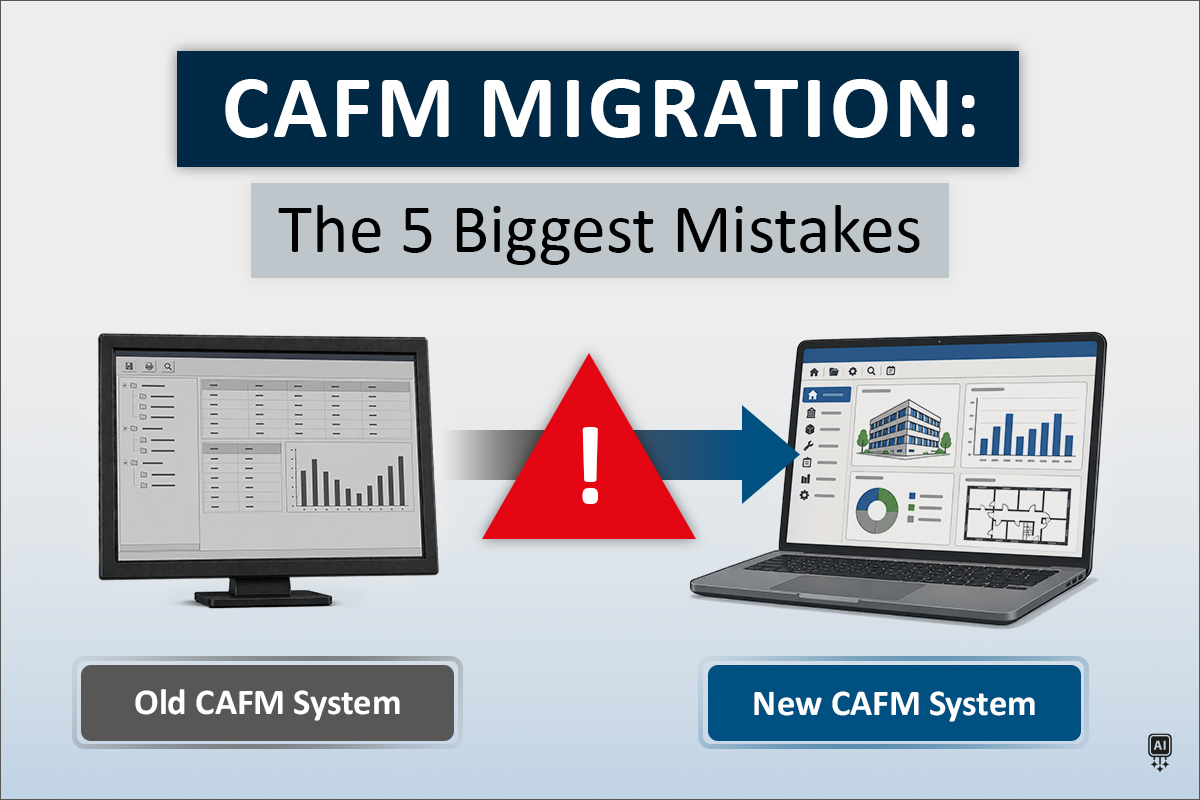
Replacing a CAFM system sounds straightforward enough. Choose a new solution, export the data from the old system, import it into the new one, and carry on.
If only migrations were that simple.
A CAFM system that has been in use for ten or fifteen years contains much more than a collection of database records. It contains buildings and spaces, assets, contracts and documents, but also processes, responsibilities, interfaces, historical information and, quite often, a few workarounds that nobody can quite remember introducing.
Moving all of that from one system to another is therefore not simply an IT exercise. It is also an opportunity to ask a question that tends to get lost in everyday operations: Do we actually want to keep working this way?
A successful CAFM migration is not measured by how faithfully the old system has been reproduced in the new one. It is successful when the organization can work more efficiently afterwards, with better information and processes that support the way people need to work.
In practice, however, the same mistakes tend to appear again and again.
Mistake #1: Starting without a clear reason for changing systems
Mistake #2: Migrating everything just because it exists
Mistake #3: Assuming an export contains everything you see in the legacy system
Mistake #4: Trying to change too much at once
Mistake #5: Waiting too long to involve users
The good news is that none of these mistakes is inevitable. Most can be avoided before the first dataset ever leaves the old system.
Mistake #1: Starting without a clear reason for changing systems
The first question in a CAFM migration should not be: How do we get the data out?
It should be: Why are we changing systems?
There is usually a good reason. Perhaps the existing software is no longer being developed or supported. Perhaps costs have increased, important functionality is missing, reporting no longer meets requirements, support is insufficient or existing processes have become unnecessarily complicated.
Whatever the reason, it should determine what happens next.
If the existing system makes maintenance unnecessarily complicated, the migration should improve maintenance. If information is difficult to access, the new solution should make it easier to find and use. If routine reporting still involves several exports, manual corrections and piecing information together from different sources, the migration is a good opportunity to ask why.
Without clear objectives, however, it is remarkably easy to reproduce what already exists.
The same structures remain. The same processes survive. Sometimes even the same workarounds find a new home.
The system is new. The reasons for replacing the old one are still there.
How to avoid it
Before discussing migration details, define what should actually be better afterwards.
Identify the weaknesses of the current setup, determine which processes need to improve and agree on the requirements that matter for future operations. Then define how you will know whether the change has delivered what you expected.
That gives the project a clear reference point for the decisions that follow.
Mistake #2: Migrating everything just because it exists
There is a surprisingly persistent assumption in migration projects: if data exists, it must be important.
It is understandable. After all, somebody once entered it, maintained it or imported it. Surely there was a reason.
Perhaps there was. In 2014.
CAFM databases grow over time. Buildings change, spaces are reorganized, assets are replaced, contracts expire and responsibilities move. Naming conventions change too, and information may be maintained differently across departments or locations. Some information is maintained carefully. Other information survives mainly because nobody has ever had a reason to question it.
And not every problem is visible in an individual record.
An asset may be marked as decommissioned while active maintenance tasks are still assigned to it. Both records may look perfectly valid when viewed separately. But which information is correct? That needs to be clarified before deciding what should move to the new system.
Migrating everything simply because it is there may feel like the safest option. Nothing gets lost and no difficult decisions need to be made before the transfer. The problem is that the new system may then start its working life carrying outdated, contradictory or unnecessary information from the old one.
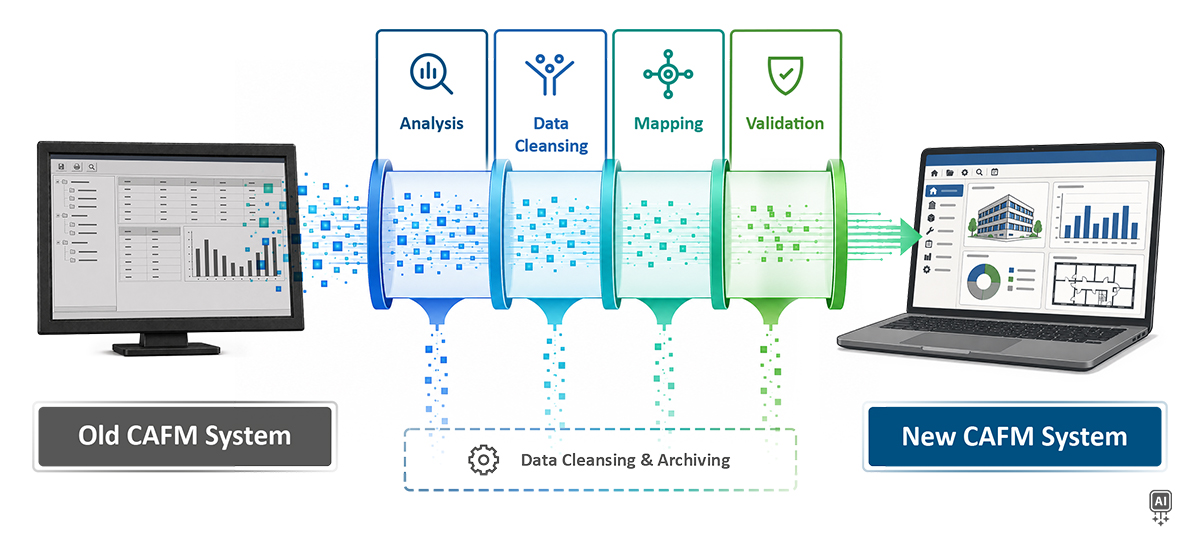
Not every piece of information therefore deserves the same treatment. Depending on its relevance, quality and future purpose, data may be transferred directly, cleaned up or consolidated, retained in an archive or deliberately left behind. In some cases, rebuilding an area on a clean data basis may be more useful than transferring outdated or incomplete information.
What actually needs to come along?
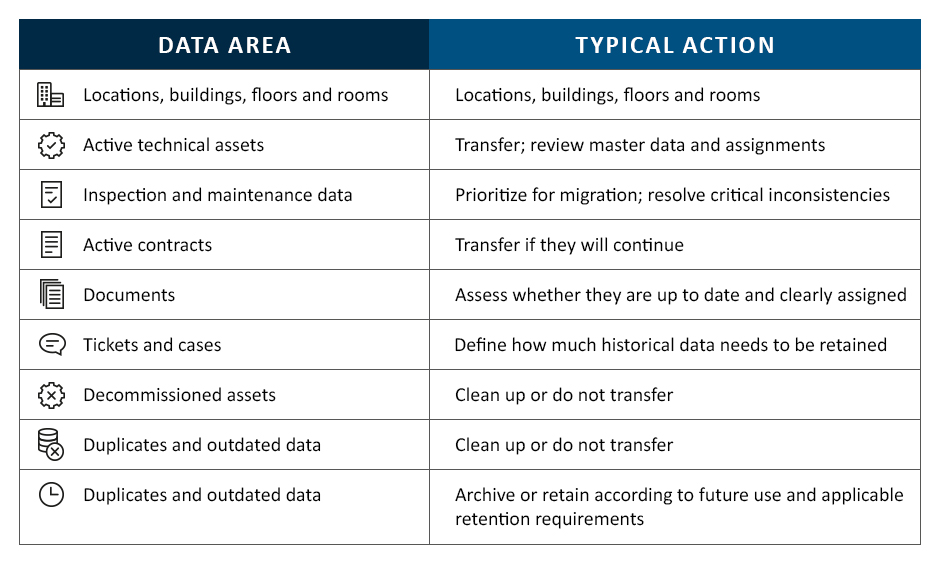
These are not automatic rules. An “active asset” does not belong in the new system simply because its status says active, just as an old record does not automatically belong in an archive because of its age. Its purpose, quality, dependencies and future use all matter.
How to avoid it
Decide what deserves to make the journey, and in what condition.
Review which information is still relevant, which records are outdated or incomplete, where duplicates exist and which datasets have not been maintained reliably.
Ask whether historical information is genuinely needed for future processes or whether it only needs to remain accessible for documentation or compliance purposes.
Moving questionable data successfully does not make it more reliable. It simply means the transfer worked.
Mistake #3: Assuming an export contains everything you see in the legacy system
“We have the data.”
That sentence is less reassuring than it sounds.
What users see in an established CAFM system is not necessarily what comes out of it. Information displayed in the application may depend on linked tables, calculated values or internal system logic. An export may contain the individual records while leaving out the identifiers and relationships that give them their meaning.
A fire door, for example, may appear in the legacy system with its location, inspection schedule, responsible service provider and latest inspection report all accessible from the same record. Behind the interface, however, this information may be stored in different tables or connected through internal references. If an export contains the individual records but not those references, the door and the document may both be present without a reliable way to reconnect them.
The data has been extracted. The context that made it useful has not.
And getting the information out is only half the job.
Even a complete extract still has to fit the target system. Fields, classifications, status values, identifiers and hierarchies may be structured differently. A source value such as “Status 3” cannot simply be transferred unless its meaning in the target is defined. The same applies to relationships: knowing that two records belong together does not automatically tell the new system how that connection should be represented.
How to avoid it
Work with a real extract early rather than relying on what is visible in the application.
Check which identifiers, classifications, assignments and relationships are actually available outside the legacy system. Clarify database access, export options, interfaces and technical documentation before the migration depends on them.
Then define how the extracted information should be represented in the target. Mapping determines where information belongs, while transformation rules determine how values need to be interpreted or converted. Relationships and exceptions need clear rules as well.
And test those rules before the final transfer.
Start with a representative dataset, migrate it and validate the result. For example, if a defined set of technical assets is supposed to be transferred, you should be able to trace what actually arrived in the new system and explain any differences.
If something is wrong, correct the underlying source data or migration rule rather than fixing individual records in the target. Then run the migration again.
A correction that disappears with the next migration run was never really a correction.
Finding these limitations during testing gives you time to solve them.
Mistake #4: Trying to change too much at once
A new CAFM system creates possibilities.
And possibilities have a habit of becoming project requirements.
If the organization is migrating anyway, why not redesign maintenance at the same time? And introduce mobile processes. And rebuild the interfaces. And restructure contract management. And clean up twenty years of historical data. And perhaps change a few workflows while everyone is already involved.
All of those things may make sense.
Doing all of them simultaneously may not.
Each additional topic looks manageable on its own. Put enough of them into the same project phase and “while we’re at it” starts doing a remarkable amount of work.
As the scope grows, so do the dependencies. A change in one area can affect decisions already made somewhere else. When requirements also keep changing, decisions have to be revisited, completed work may need to be adjusted and the overall implementation becomes increasingly difficult to control.
How to avoid it
Decide what is necessary for a reliable start and what can follow later.
Core structures and essential data may come first. Additional processes, interfaces and functionality can then be introduced in sensible stages. This does not necessarily make the overall project small. It makes a large project manageable.
More importantly, it creates usable results early. A process can be implemented, tested, evaluated and adjusted before the next major package begins.
There is a considerable difference between hearing that a project is progressing and being able to use the first results.
But phasing only works if decisions have owners. Someone needs to decide on business requirements. Someone needs to prioritize them. Someone needs to resolve data questions and approve changes.
The job titles will differ from one organization to another. The important thing is that when a decision is needed, everyone knows who can make it.
Mistake #5: Waiting too long to involve users
There is a simple way to find problems in a beautifully designed process: give it to someone who actually has to use it.
People who work with a CAFM system every day notice things that are easy to miss in workshops and process diagrams. A field is in the wrong place. Important information takes too long to find. A workflow that looked perfectly logical during planning turns out to be unnecessarily complicated in everyday use.
If users first encounter the new system shortly before go-live, these discoveries come rather late.
By then, processes have been configured, decisions have been made and changes that would have been relatively simple three months earlier suddenly affect training, documentation, testing and the project schedule.
How to avoid it
Involve future users early enough to make their feedback useful.
Showing intermediate results gives them an opportunity to review how the new structures and processes work in practice and point out issues that may not be apparent from a technical perspective.
They do not need to attend every meeting. But they should have defined opportunities to provide feedback throughout the migration. This also allows them to become familiar with the new environment gradually rather than encountering it for the first time shortly before go-live.
A better migration starts with better decisions
A CAFM migration should not be judged by how much data moved. It should be judged by whether the new system starts with reliable information, meaningful relationships and fewer inherited problems.
At speedikon FM AG, we support customers throughout the migration, applying our experience to the specific requirements, dependencies and technical conditions of each project. With speedikon® C, data, processes and relevant information can be brought together in one integrated software environment, providing a flexible basis for future operations.
Planning to replace an existing CAFM system? Get in touch with our experts to discuss your migration project.
More Insights in Our Whitepaper
Want to explore the topic in more detail? Our whitepaper takes you through the key stages of a system change, from defining the target and assessing existing data to mapping, testing, validation and cutover.
Request your free copy and learn what to consider before, during and after the transition.