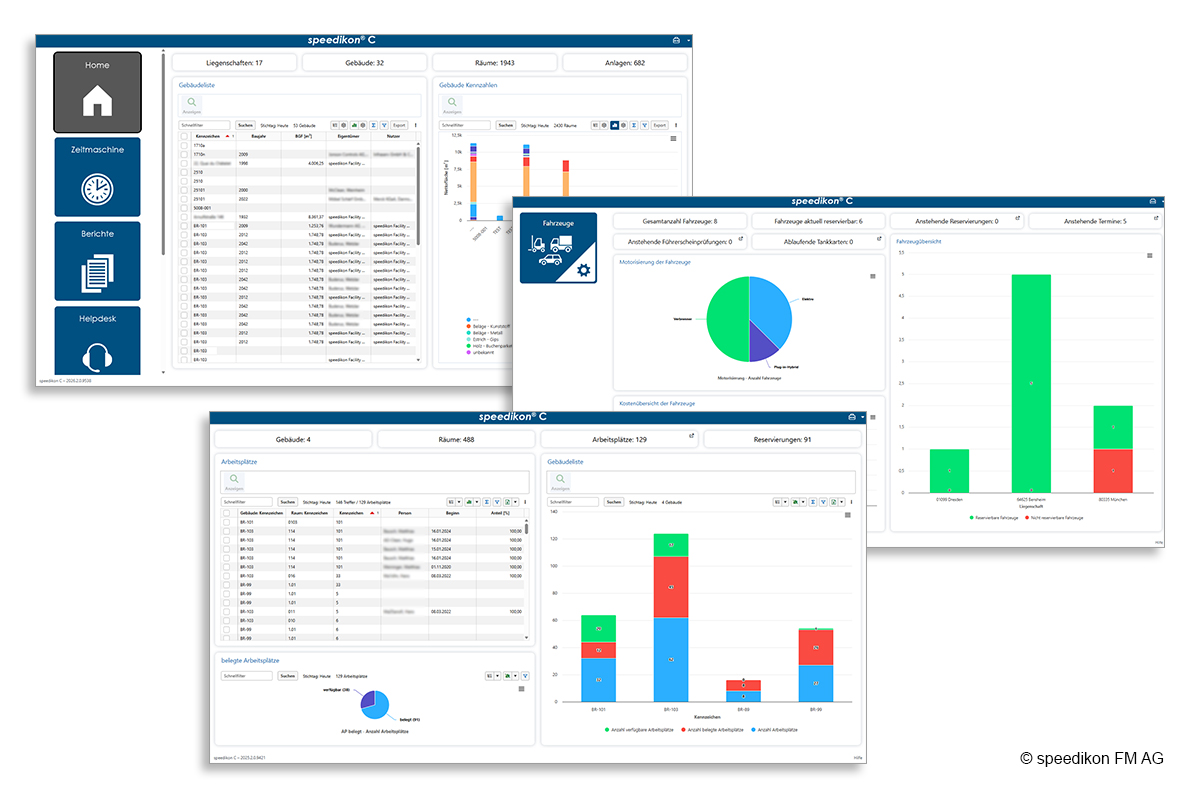
With the new cockpits in speedikon C, we offer two targeted use cases: for a quick overview and, in selected areas, for hands-on work.
Primarily, cockpits provide a structured overview. As dashboard views, they enable occasional users and management in particular to quickly access relevant KPIs and status information. How is my building performing? How many tickets are still open? Are there overdue tasks, expiring contracts, or unusual patterns in energy consumption? At a glance, you can see where action is required—without having to dive deep into the system.
In selected standard modules, such as fleet management, cockpits can also be used actively to a limited extent. This means that, depending on the user’s role and permissions, certain functions can be executed directly—for example, quickly and easily canceling individual vehicle bookings.
Cockpits are therefore primarily designed to provide clarity and structure, complemented—where appropriate—by selected action options. The result is a clear, well-structured entry point into speedikon C that consolidates information and efficiently supports processes.
Homepage with Tile View or Cockpit? The Choice Is Yours
The cockpit can be defined as the central start page, so your most important KPIs and processes are the first things you see after logging in. Of course, tiles can also be displayed alongside the cockpit, ensuring they remain accessible at all times without dominating the entire workspace.
Feel free to contact us if you would like to learn more about the cockpits and the possibilities they offer in your specific environment.
Picture: speedikon FM AG