With our “Feature Spotlight” series, we regularly introduce individual functionalities from across the speedikon FM Group and show how they support our customers in their everyday work.
Buildings and technical facilities are constantly changing. Equipment is replaced, rooms are converted and technical installations are modified. Keeping track of these changes can be challenging, especially when photographs, construction documentation and project records are stored in different locations.
This time, we are looking at a FRAMENCE feature that helps answer an important question: What did this area look like before?
When the Current View Is Not Enough
A maintenance team is preparing work in a technical room. The latest photographs show a finished wall, but cables and pipes installed during an earlier construction phase are now concealed behind it. Plans may provide part of the answer, yet they do not always reflect every change made on site.
Similar questions arise throughout the lifecycle of an asset or facility: How did a conversion progress? What was visible before ceilings, walls or floors were closed? The current condition alone cannot provide the answer.
Finding the relevant information often means searching through old photographs, construction documentation and archived project files. Even when the records are available, identifying exactly where and when they were created can take considerable time.
How the Timeline Works
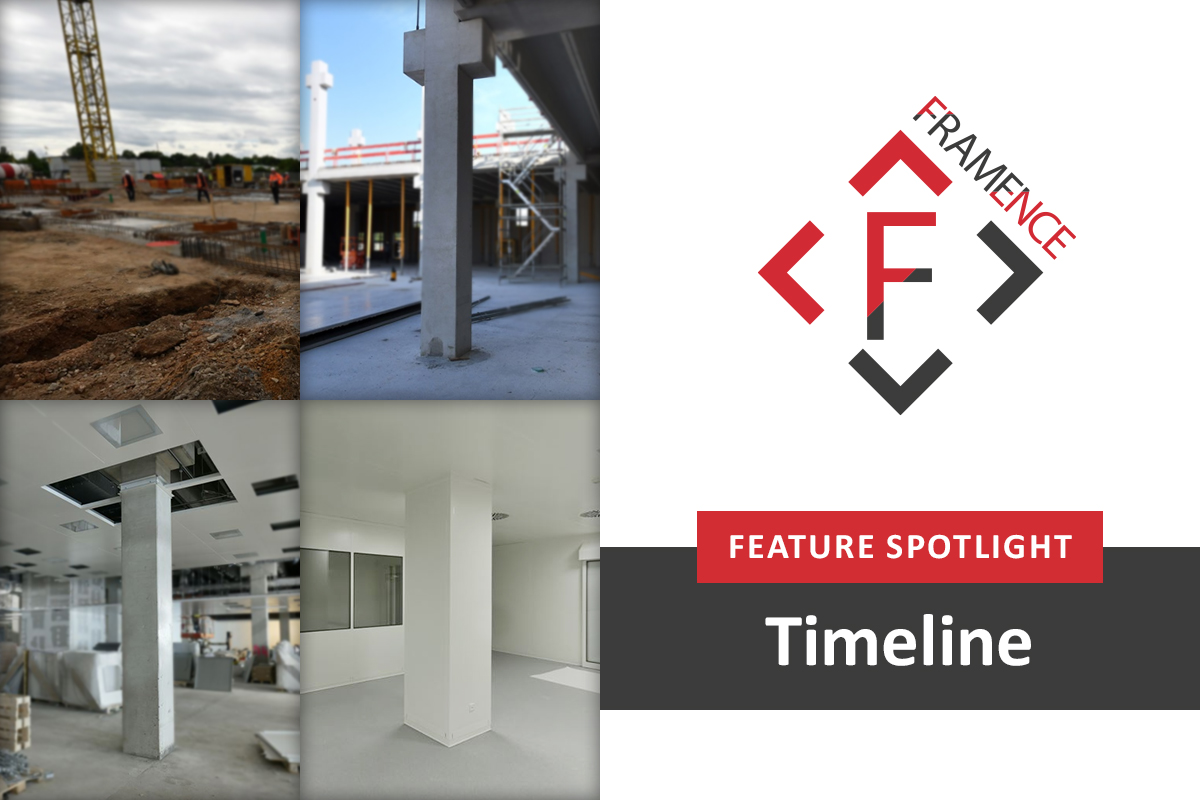
The Timeline feature in FRAMENCE makes historical visual records accessible directly within the photorealistic digital twin. Using an integrated time slider, users can navigate between different points in time, compare previous and current conditions, and see how a particular area has changed. For instance, they can follow the development of a space from the initial construction work to the finished interior, as illustrated below.
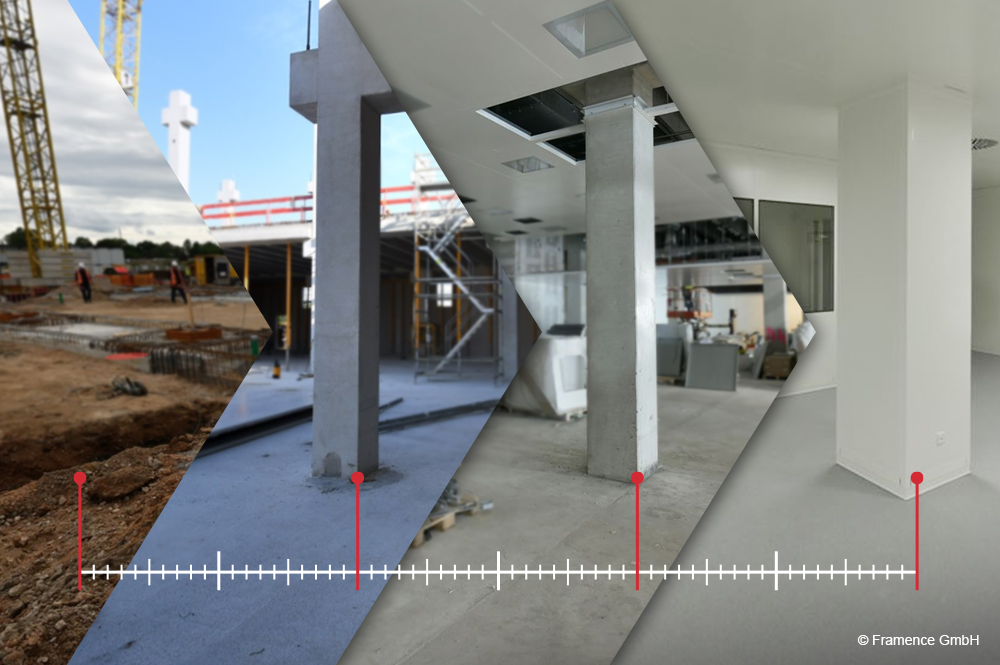
Keeping the digital twin up to date is straightforward. When something changes, new photographs can be taken using standard cameras, smartphones or drones and uploaded to FRAMENCE. The platform’s AI-supported process positions the images within the existing 3D coordinate system and assigns them to the Timeline based on their timestamps.
There is no need for specialized recording equipment or a complete photographic survey of the facility. Only the affected areas need to be recaptured, while previous recordings remain available. Points of Information (PoIs) link equipment details, technical documentation, maintenance information and other relevant data to specific coordinates in the digital twin, allowing this information to remain associated with its location when the imagery is updated.
Understanding Changes in Practice
During construction or modernization, teams can review photographs from different project stages to understand how work progressed. This allows them to compare the documented situation with the planned result and identify visible differences between individual construction phases.
The functionality is equally valuable when technical equipment is replaced. For example, after a pump has been exchanged, maintenance teams can examine its previous configuration and identify changes to its position, connections or surrounding installations. This can provide valuable context when preparing subsequent maintenance or modification work.
Historical images can also help users trace visible changes in the condition of equipment and infrastructure over longer periods, providing an additional reference when investigating technical issues.
A Visual History Throughout the Lifecycle
Assets and facilities can remain in operation for decades, undergoing numerous modifications along the way. With FRAMENCE, one photorealistic digital twin can accompany them throughout their entire lifecycle, without the need to create separate versions for each construction phase, renovation or equipment replacement.
By combining visual records with their location and time of capture, the Timeline supports maintenance preparation, modernization planning and construction documentation. It also provides internal teams and external partners with a shared visual reference when discussing modifications or investigating technical issues.
This continuous visual history helps preserve knowledge about past changes and supports more informed decisions about future work.
Would you like to see how the FRAMENCE Timeline can support lifecycle documentation in your buildings and technical facilities? Contact the FRAMENCE team for more information or individual inquiries: https://www.framence.com/en/contact/